
Introduction
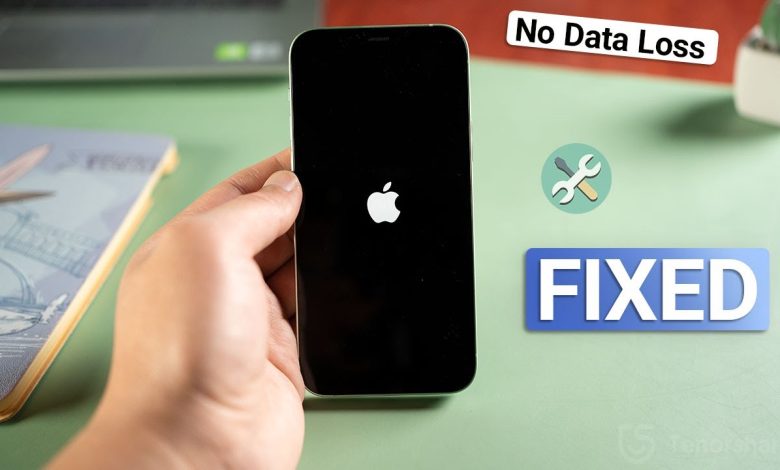
If your iPhone stuck on the Apple logo, blinking endlessly, or trapped in a boot loop, you are not alone. This is a common iOS issue that can happen after an update, restore, or storage problem. In this guide, you will learn step-by-step methods to fix iPhone Stuck on Apple logo without losing data.
Must Read: Winter Image 10 Ai Prompts for Gemini
What Does “ iPhone Stuck on Apple Logo ” Mean?
When an apple iphone stuck on apple logo, the device fails to complete the startup process. Instead of loading the home screen, the phone remains frozen on the Apple symbol or keeps restarting.
Common Signs
- iPhone stays on Apple logo
- iPhone blinking Apple logo
- iPhone boot up loop
- iPhone sitting on Apple logo
Why Is My iPhone in a Boot Loop?
An iPhone boot loop means your device keeps restarting without fully turning on.
Main Causes of iPhone Boot Loop
- Failed iOS update (verifying update stuck)
- Low storage space
- Corrupted system files
- Restore from iCloud stuck on estimating time remaining
- Hardware or battery issues
Method 1: Force Restart iPhone (First Thing to Try)
A force restart can fix a frozen iPhone screen or minor boot issues.
For iPhone 8, X, 11, 12 and newer
- Press and release Volume Up
- Press and release Volume Down
- Hold the Power button until Apple logo appears
This often fixes iphone stuck on apple logo problems.
Must Read: Winter Image 10 Ai Prompts for Gemini
Method 2: Update iPhone Using Recovery Mode (No Data Loss)
If your iphone stuck on apple logo, recovery mode update is safe.
Steps
- Connect iPhone to computer
- Open Finder or iTunes
- Enter Recovery Mode
- Click Update (not Restore)
This method fixes iphone stuck in the apple logo without deleting data.
Method 3: Restore iPhone (Last Option)
If nothing works and your iphone is locked on apple logo, restoring may be required.
⚠️ Warning: This will erase data.
Best for:
- iPhone stuck on restore mode
- Phone stuck in recovery mode iphone
Method 4: Fix iPhone Boot Loop Without Restore (Recommended)
To fix bootloop iphone issues safely, professional iOS system repair tools can help.
Benefits
- Fix boot loop iphone without data loss
- Works for iphone 11 stuck on apple logo
- Works for iphone 12 stuck on apple logo
Apple Watch Stuck on Apple Logo (Related Issue)
Sometimes users also report apple watch stuck with apple logo. This usually happens due to a failed update and requires a force restart or Apple support.
FAQs – iPhone Apple Logo Problems
Why is my iPhone frozen on the Apple logo?
An iPhone usually gets stuck on the Apple logo due to a failed iOS update, low storage, corrupted system files, or interrupted restore process. In most cases, this is a software issue and can be fixed without replacing the device.
Can I fix iPhone boot loop without losing data?
Yes. You should first try a force restart and then use Recovery Mode with the Update option. These methods can fix an iPhone boot loop without deleting your data.
How long should Apple logo stay during startup?
Normally, the Apple logo appears for 10–30 seconds during startup. If your iPhone stays on the Apple logo for several minutes, it indicates a boot loop or frozen startup problem.
Why is my iPhone blinking or flashing the Apple logo?
A blinking or flashing Apple logo usually means the iPhone is repeatedly restarting. This happens due to unstable iOS files, battery issues, or an incomplete update.
Does Recovery Mode delete data?
No, if you choose Update in Recovery Mode, your data will remain safe. Data is only erased if you select Restore.
What if my iPhone stuck on Apple logo after an update?
This is very common. Try force restart first. If that doesn’t work, use Recovery Mode Update to reinstall iOS without data loss.
Conclusion (Final Thoughts)
If your iPhone stuck on Apple logo or trapped in an iPhone boot loop, there is no need to panic. In most cases, the problem is caused by software errors such as failed updates, low storage, or corrupted system files.
Always start with the simplest solution like a force restart. If that doesn’t work, using Recovery Mode with Update is the safest way to fix an iPhone frozen on Apple logo without losing data. Restoring the iPhone should only be used as a last option.
This guide fully covers all major issues including iphone frozen on apple logo, iphone blinking apple logo, boot loop iphone, and model-specific problems like model of 11 iphone stuck on apple logo and model of 12 iphone stuck on apple logo.
By following these steps, most users can fix their iPhone at home without visiting a repair shop.